When viewing the timetable of a course, you can create an event for a group associated with the course.
To create an event for a specific course group:
- Open the course timetable for the relevant course.
-
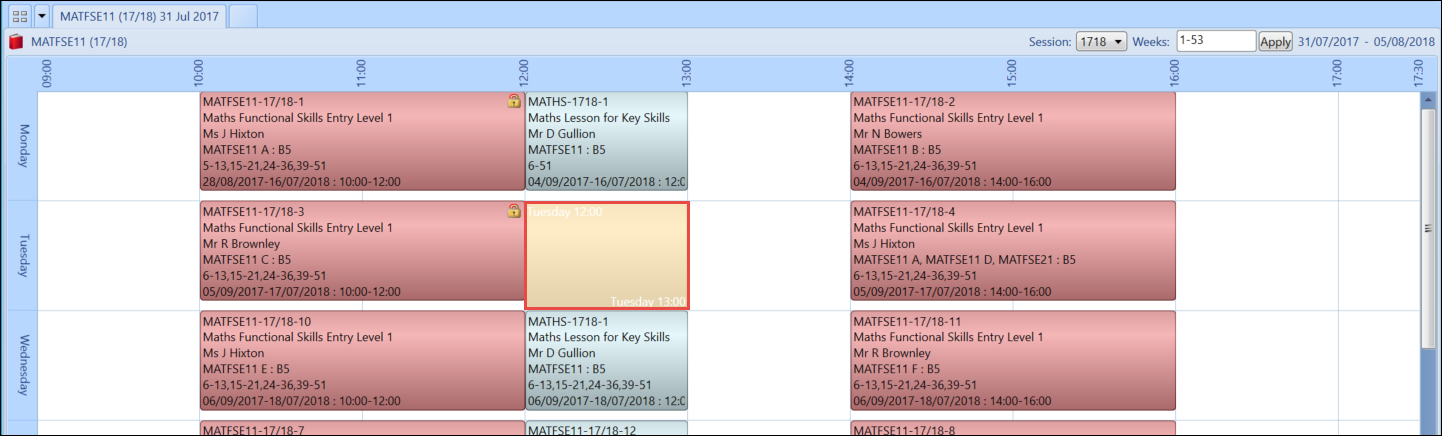
Select and drag the relevant section of the timetable grid to create an event box.
-
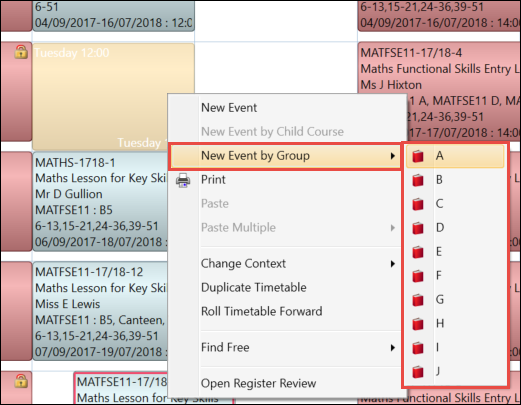
Select and hold (or right-click) on the event box and select the required course group from the New Event by Group option.
-
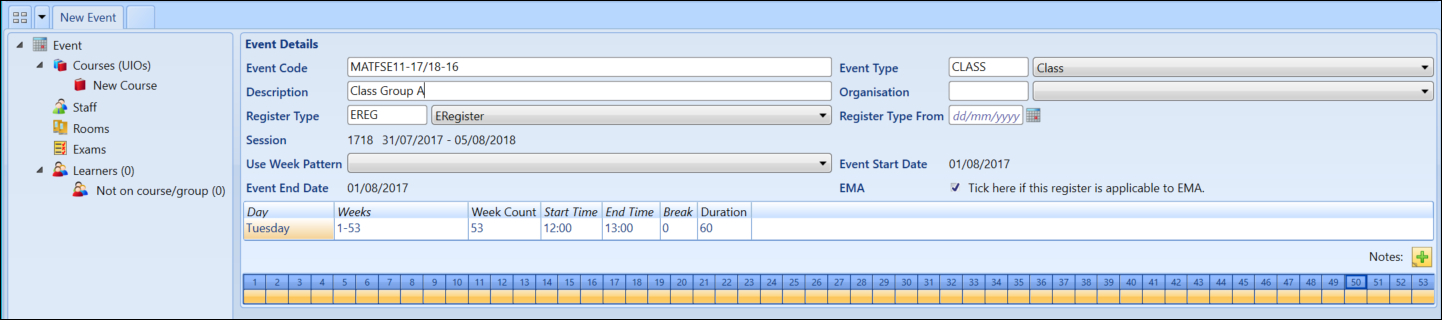
Enter the relevant details for the event.
-
Select the Save button to save the event.

The event will now display the selected course group as part of the event details.
